Why Smart Devices Still Feel Less Smart Than Promised

Editor-in-chief at Vireon Press, covering business and technology through the lens of strategy, efficiency, and real-world consequences.
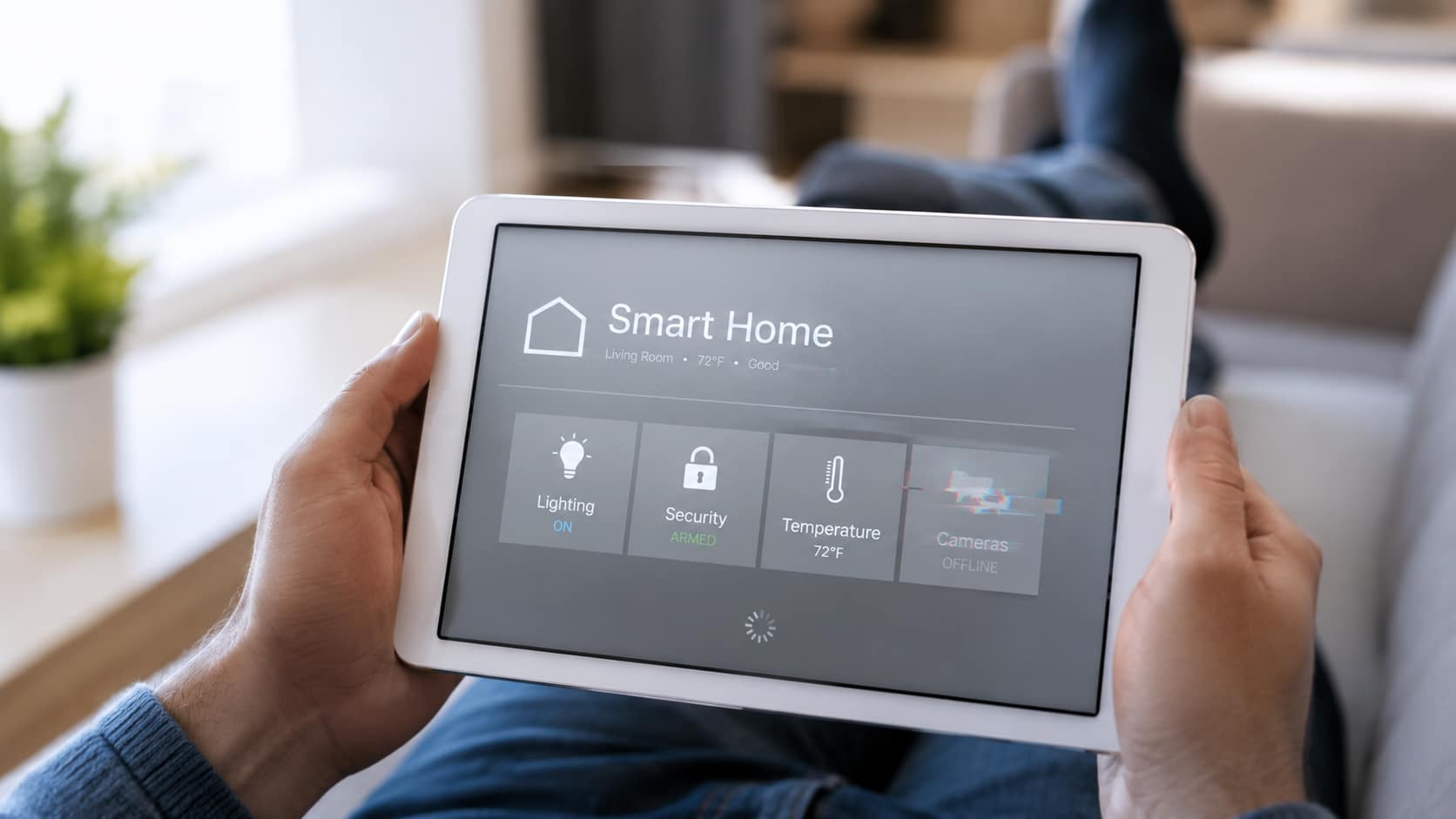
At first, the promise was simple. The house would take a little work off your hands. Then the work came back in a different form.
The speaker responds, but the light routine misses its timing. The thermostat learns a pattern, then forgets what makes sense when someone is home sick on a weekday. The camera works until an update, a login prompt, or a weak Wi-Fi signal turns it into another small task.
None of this means smart devices are useless. Many are genuinely convenient. The problem is less dramatic than failure and more irritating than that: the intelligence feels inconsistent.
The issue behind many smart devices problems is not that the devices do nothing. They do plenty. They often move effort around instead of reducing it.
A switch becomes an app. A setting becomes an account. A routine becomes something the user has to maintain.People do not judge “smart” by the feature list. They judge it at 11 p.m., standing in a dark hallway, waiting for the motion sensor to catch up.
Connected Is Not the Same as Smart
Much of the confusion around consumer technology comes from treating remote control as intelligence. Adding Wi-Fi and a mobile app merely alters the medium, leaving the foundational mechanic untouched. A toggle on a smartphone screen demands the same human proxy as a mechanical copper switch on a drywall. Remote access provides convenience, but it fundamentally functions as a longer wire.
A device begins to feel smart only when it understands enough context to reduce the decision-making around it. That is where many connected devices fall short. A light that turns on at full brightness during a 3 a.m. bathroom trip has followed its rule. Technically, it worked. But it has missed the situation completely.
The difference is easier to see when the same action is placed side by side:
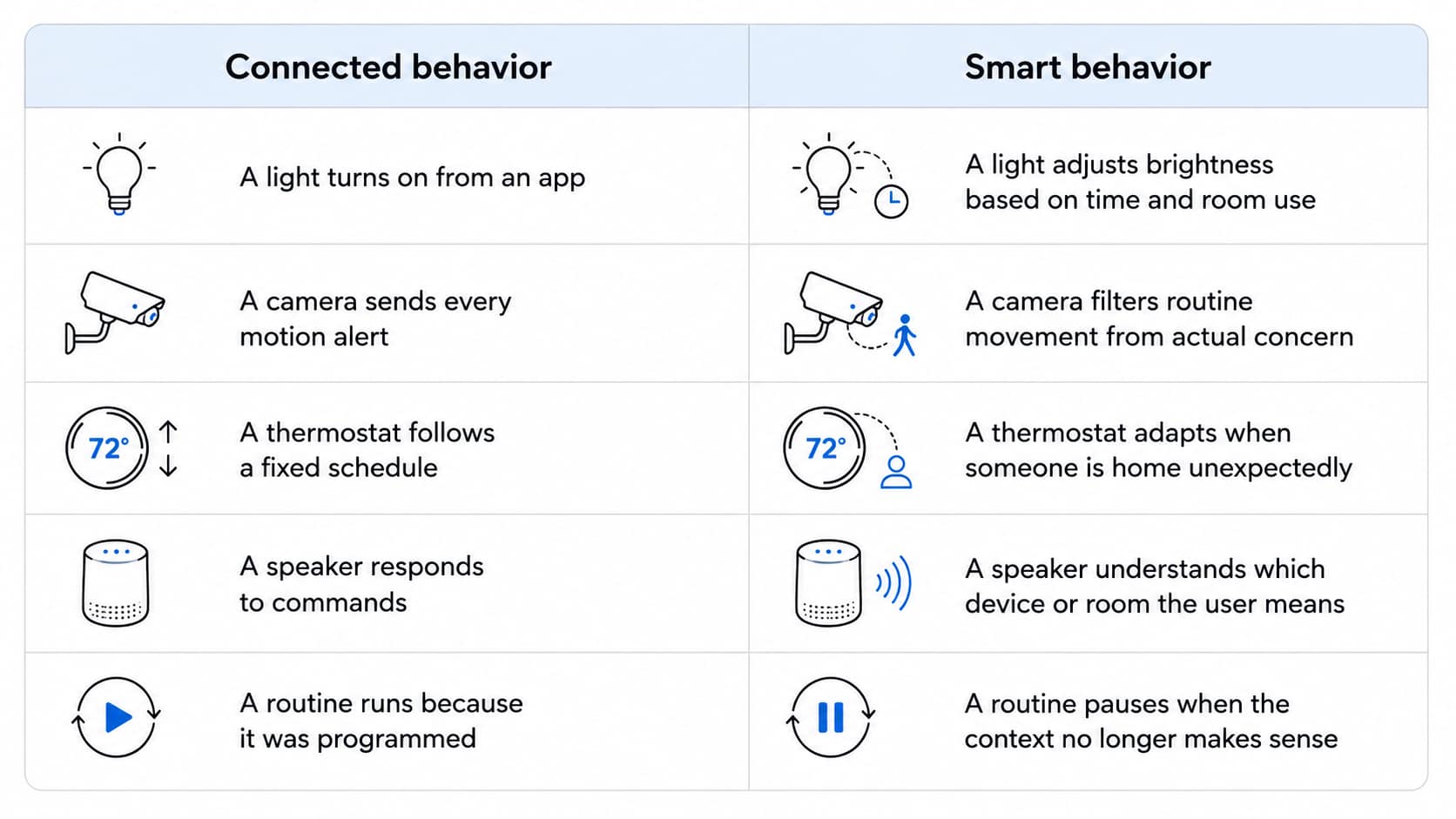
That gap explains why smart devices can work correctly and still feel disappointing. They operate inside rigid instructions while the home remains messy, changing, and human.
Why Setup Still Creates Friction
Setup used to be simple: plug the device into the wall, press the switch, and see whether it worked. Connected hardware has stretched that moment into a process before the device has made the home any easier to run.
The first problem is the app pileup. A few brands are enough to turn a phone into a drawer of single-use software, with lights in one app, a camera in another, and the humidifier somewhere else. Then come the accounts, location access, Bluetooth permissions, local network approval, and email confirmation.
This operational burden rarely distributes evenly across a household. Research from the Nielsen Norman Group highlights that smart environments rely on a distinct ecosystem division: a designated manager who configures, updates, and troubleshoots hardware for every other occupant [1]. In practice, one family member gets drafted into an uncompensated, permanent role as the residence’s system administrator.
The path often looks like this:
New device → App download → Account creation → Permissions → Wi-Fi pairing → Firmware update
Wi-Fi pairing is where patience usually thins out. Many connected devices still depend on 2.4 GHz networks, while modern routers hide those choices behind automatic settings. The user ends up beside a blinking bulb, opening router settings they never wanted to understand.
The device has not failed yet. It has simply asked for too much before proving why it exists.
Where Automation Disappoints
Automation sounds clean until it meets the house. In practice, it breaks down in small, ordinary moments: a sensor reads the wrong signal, a command arrives late, a cloud service hesitates, or an update changes a routine the user thought was settled.
Wrong triggers
A camera sees movement near the porch and treats a branch like a person. A robot vacuum starts on schedule, then traps itself on a charging cable and sends a helpless notification from under the sofa. The system has followed its rule, but not the situation.
Delayed responses
A motion sensor turns the hallway light on two seconds late, after someone has already taken careful steps in the dark. The delay is small, but it changes the feeling of the exchange. The user is no longer being helped. They are waiting for the room to catch up.
Poor integration between brands
Cross-brand logic triggers an operational latency tax, forcing a smart speaker to route processing calls through a cloud-to-cloud handshake before a separate manufacturer’s thermostat, light, or plug responds. The Connectivity Standards Alliance designed the Matter protocol to eliminate this exact middleman layer across competing ecosystems [2]. Yet, when cross-brand communication relies on distant web nodes, device interoperability is reduced to the audible pause before a room responds.
Updates that change behavior
Overnight firmware deployments routinely rewrite local instruction sets, breaking automation schedules without user intervention. A mandatory patch, an unannounced API deprecation, or a forced mobile client redesign can alter a device’s core operation in milliseconds. The physical component remains mounted on the wall, but its runtime logic belongs entirely to a remote vendor database.
What Would Make Devices Feel Smarter

Devices will begin to feel smarter when they demand less cognitive overhead. Convenience does not need a longer feature list. It needs an architecture that respects the user’s time.
Fewer manual steps: A smart home should run with quiet predictability, not a steady stream of app alerts, routine edits, and permission checks. The best version is closer to “set it and forget it” than a continuous schedule of interface corrections, avoiding the hidden cost of digital convenience that backfires when automated systems require constant calibration.
Better default settings: Devices need stronger logic out of the box. A light should understand that 3 a.m. calls for a soft glow, not full brightness, without making the user build a rule from the kitchen table.
Clearer controls and local reliability: A device should still have some useful function when the internet drops. Thread is designed as a low-power mesh networking technology for connected devices, pointing toward smart-home systems that rely less on fragile single-device connections [3].
Emphasizing local processing over cloud dependencies directly stabilizes smart device reliability, especially for core functions like lights, locks, sensors, and thermostats. Ecosystems also need to become less fragile. A speaker from one brand and a switch from another should not feel like a gamble.
Conclusion
The push to connect every corner of the domestic landscape has passed its initial validation phase. A light, speaker, camera, thermostat, appliance, or wearable can connect to something now. That part is no longer impressive on its own. The harder question is whether all this connection removes work, or simply gives the household another system to watch.
Value is no longer measured by how many features can be crammed onto a motherboard. It is measured by how much effort disappears from daily life.
Smart devices will feel genuinely intelligent when they become less demanding, not more feature-heavy. The objective is not another digital dashboard to manage. It is reliable infrastructure that drops into the background, solves a problem quietly, and leaves the user alone.
Sources:
[1] Nielsen Norman Group. Beyond the Primary User: 3 Types of Smart-Home Users (2025).
[2] Connectivity Standards Alliance. Matter.
[3] Thread Group. Thread in Homes.
Editor-in-chief at Vireon Press, covering business and technology through the lens of strategy, efficiency, and real-world consequences.


Building Before the Demand: ASML’s Long-Term Semiconductor Bet

The End of the Open Market: When AI Starts Buying Years Ahead

When Infrastructure Needs a Passport: Inside the New US Power Grid Rules

Why Smart Homes Still Have a Trust Problem
Advertisement