Virtual Machines: How Virtualization Shapes Modern Hosting

-
 By
VireonPress Editorial
By
VireonPress Editorial
- Technology
- 5 min read
-
By
VireonPress Editorial
- Technology
- 5 min read
Just 15-20 years ago, the world of server infrastructure, while promising much (cost savings, scalability, security, performance, etc.), functioned in disarray.
A single physical server used a single operating system to run only one resource-intensive application. And if that application required only a tenth of the processor’s power, the remaining 90% simply utilized electricity as wasteful heat. Inefficient, right?
This led to the advent of virtual machines, which transformed disparate data centers into a global cloud and made possible AWS, Azure, and other cloud platforms as we know them.
What Virtual Machines Actually Do
So, what is a virtual machine? In a nutshell, it is a software simulation of a physical computer. It appears to have its own processor, hard drive, memory, and even a network card, although in reality, it shares these resources with dozens of other identical machines on a single physical node, also known as a host. Here are the tasks virtual machines perform in hosting environments:
- Consolidation, for running dozens of systems on a single server;
- Versatility, meaning the ability to run, for example, a Windows application on a Linux server;
- Testing, when potentially dangerous code is first deployed in an isolated environment without the risk of bringing down the entire hardware.
Hypervisors and Resource Isolation
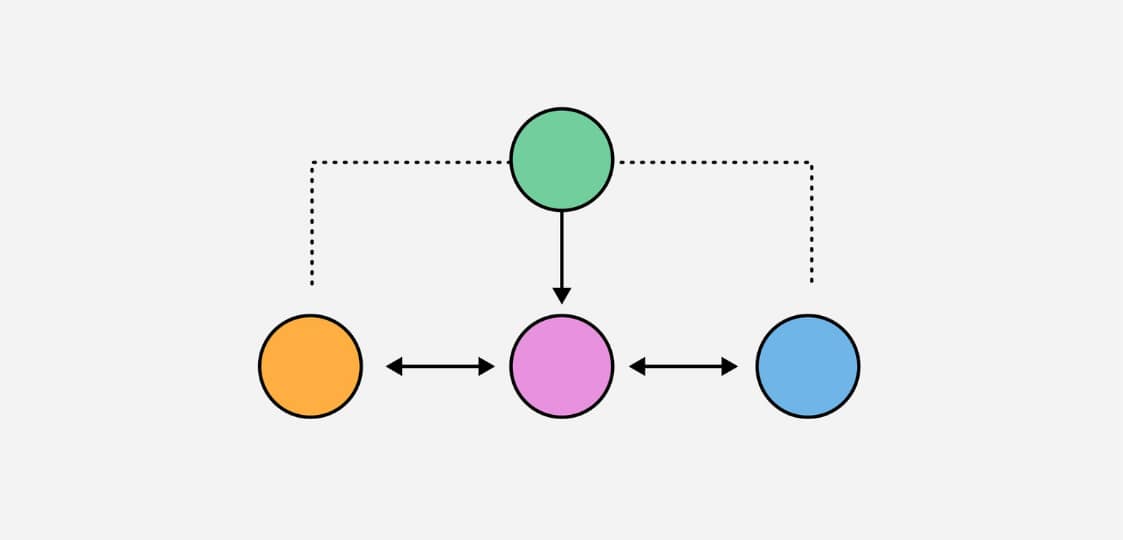
In 2017, serious vulnerabilities in processors like Meltdown and Spectre became public knowledge, but thanks to hypervisors, cloud platforms were able to quickly patch them at the host level without forcing every client to update their operating system [1]. So what’s so great about hypervisors?
Generally speaking, if a server is metaphorically like an apartment building, a hypervisor is the perfect concierge, security guard, and even utility engineer all rolled into one, whose main job is resource isolation to prevent chaos.
Why is this necessary? Let’s consider an example:
You rent a virtual private server to run a small online store. Meanwhile, your neighbor on the physical server is a budding crypto enthusiast who decided to run a heavy blockchain analysis script on his machine. Without a hypervisor, the script would devour all the CPU resources, and your store would simply stop loading.
The point is that the hypervisor sets strict limits. Essentially, this acts as a notification to the neighbor that they only have two cores and 4 GB of RAM, not a single byte more. As a result, your neighbor’s script may occasionally slow down inside their virtual machine, but your website won’t be affected, since its resources are reserved at the hardware level.
Virtual Machines vs Containers
The VM vs container dilemma may confuse you, although in reality, they may work together.
Just imagine you’re an online retailer with a huge database of millions of customers. You run it in a virtual machine because reliability and isolation of OS are must-haves. At the same time, you still may face the problem when the shopping season has begun. As the load on your website increases by 100+ times in this period, to handle this challenge, hundreds of small services need to be launched instantly, which will be too slow when using a VM only. Therefore, containers make sense here, as they launch in a fraction of a second and consume almost no memory.
Why VMs Still Power the Cloud
Despite the popularity of serverless computing, cloud virtualization based on virtual machines remains viable due to its versatility. For example, cloud providers like AWS and Azure use VMs as a standard unit of sale for their resources because it’s the only way to guarantee customers that their data and processes are completely separate from those of others. Virtual machines are also ideal for running legacy applications that can’t be redesigned for microservices. Finally, VMs provide a deep level of customization of the OS kernel, which may be necessary for running complex databases or enterprise ERP systems. Here’s a more detailed comparison of the features of the two cloud approaches:
|
Parameter
|
Virtual machines
|
Bare metal
|
|---|---|---|
|
Scaling
|
Instant (through image cloning)
|
Slow (as it requires purchasing or installation)
|
|
Fault tolerance
|
Very high
|
Depends on physical parts
|
|
Control
|
Full over the guest OS
|
Full over hardware
|
|
Pricing
|
Pay-as-you-go
|
High capital investment
|
Infrastructure Stability vs Flexibility
Before virtualization, system administrators had to choose between a stable but completely inflexible infrastructure or a flexible but fragile one. Virtualization eliminated this tradeoff through software-based hardware management.
In particular, thanks to the Live Migration feature, a virtual machine can be moved from one physical server to another without interrupting its operation. So, when the server requires maintenance, the hypervisor simply moves everything tied to the running OS to another node.
As for flexibility, it manifests itself in the ability to deploy a full-fledged development environment in seconds from a ready-made template. This means businesses now have the opportunity to experiment: that is, run a server, test a hypothesis, and then remove it without incurring additional costs for excess hardware.
Conclusion: Virtualization as Silent Infrastructure
Virtual machines have made hosting more accessible and flexible – thanks to them, even a student can rent a server anywhere in the world in minutes for a couple of dollars a month. Now, hardware complexity is no longer a barrier, meaning developers can focus on what matters most – the code and, actually, the product itself.
Sources:
VireonPress Editorial
Discover with Vireon Press
Why Tech Companies Are Slowing Down Product Innovation

The End of “Free” Platforms as We Knew Them

Startups That Quietly Solved Problems Big Tech Ignored